Command Palette

Search for a command to run...

Integrate ApiShip into Storefront

To integrate the ApiShip plugin into the Medusa DTC Starter by Gorgo storefront, register ApiShip with the starter's shipping extension points and add the components that collect the customer's delivery choice at checkout.

An ApiShip shipping option has no fixed price. The customer picks a carrier tariff first, and for delivery to a pickup point also the point itself. The storefront loads both from the plugin's store routes, shows them in a two-step delivery sheet, and saves the choice in the of the cart's shipping method. The plugin then checks the choice, prices the shipping method by the picked tariff, and creates the ApiShip order from it when you fulfill the order.

The starter ships no calculated shipping provider of its own, only the extension points one plugs into:

  • in , which tells the checkout when a shipping method is ready and how to take it off the cart
  • the shipping option card dispatcher in
  • the delivery row dispatcher in

For the storefront on Next.js, you need to make the following changes:

Step 1: Install Map Packages

The pickup point map is built on Yandex Maps JavaScript API v3. The API itself loads from Yandex in the browser. Two npm packages add the clusterer that groups nearby pickup points into one marker, and the API's type definitions.

Install them in the storefront app, :

1pnpm add @yandex/ymaps3-clusterer@0.0.12
2pnpm add -D @yandex/ymaps3-types@1.0.21414904

These are the versions the example storefront uses.


Step 2: Set Environment Variables

The map needs a key for the JavaScript API. Create one in the Yandex developer dashboard under "JavaScript API and Geocoder", then add it to the storefront's :

.env.local
NEXT_PUBLIC_YANDEX_MAPS_API_KEY=supersecret

The key is public, since the map runs in the customer's browser. Next.js embeds variables into the build, so rebuild the storefront after you change it. Without the key, the pickup point sheet shows a message that the key is missing, and courier delivery keeps working.

ApiShip delivers within Russia, so the example also sets to open the storefront in the Russian region.


Step 3: Require Recipient Phone Number

ApiShip needs the recipient's phone number to calculate delivery and to create the order. The checkout collects contacts before it gets to delivery, so make the phone field required there.

Open and mark both phone inputs as , the customer's own and the one for a different recipient:
Directory structure in the Medusa Storefront after updating the file for the contacts sheet

src/modules/checkout/components/checkout-contacts-sheet/index.tsx
1<Input
2 label={t("fieldPhone")}
3 name="phone"
4 autoComplete="tel"
5 value={formData.phone}
6 onChange={handleChange}
7 required
8 data-testid="shipping-phone-input"
9/>
10
11// ...
12
13{isDifferentRecipient && (
14 // ...
15 <Input
16 label={t("fieldPhone")}
17 name="recipient_phone"
18 autoComplete="tel"
19 value={formData.recipient_phone}
20 onChange={handleChange}
21 required
22 />
23)}

The browser no longer submits the contacts sheet without a phone number, so every calculation and every ApiShip order has one.


Step 4: Define Types

The plugin's store routes return carrier tariffs, pickup points and carrier names. The storefront describes the fields it reads from them in its own types, together with the delivery choice it saves on the shipping method.

Create with the following content:
Directory structure in the Medusa Storefront after creating the file for ApiShip types

src/types/apiship.ts
83}
84
85export type ApishipStoredTariff = Omit<ApishipTariff, "pointIds">
86
87export type ApishipStoredPoint = Pick<
88 ApishipPoint,
89 "id" | "providerKey" | "name" | "address"
90>
91
92/**
93 * What the customer picked, stored on the shipping method so a reload restores it and the
94 * plugin can create the ApiShip order from it. `deliveryType` is 1 for an address and 2
95 * for a pickup point, matching the shipping option it was chosen under.
96 */
97export type ApishipSelection = {
98 deliveryType: number
99 tariff: ApishipStoredTariff
100 point?: ApishipStoredPoint
101}
102
103export type ApishipDeliveryChoice = {
104 calculation: ApishipCalculation
105 points: ApishipPoint[]
106}

The storefront declares these types itself rather than importing them from , because that entry points at TypeScript sources that don't resolve outside the plugin's own build. Every field is optional, since carriers fill them in unevenly.

is what the checkout saves under in the shipping method's . Its is for courier delivery and for a pickup point, matching the option the customer picked it under.


Step 5: Fetch ApiShip Data

The storefront calls three plugin routes. One calculates the tariffs and pickup points for the cart, one returns the carriers, and one takes a shipping method off the cart.

Create with the following content:
Directory structure in the Medusa Storefront after creating the file for ApiShip data loaders

src/lib/data/apiship.ts
1"use server"
2
3import { sdk } from "@lib/config"
4import medusaError from "@lib/util/medusa-error"
5import type {
6 ApishipCalculation,
7 ApishipDeliveryChoice,
8 ApishipPoint,
9 ApishipProvider,
10 ApishipRawPoint,
11} from "types/apiship"
12import { revalidateTag } from "next/cache"
13import {
14 getAuthHeaders,
15 getCacheOptions,
16 getCacheTag,
17 getCartId,
18} from "./cookies"
19
20const toCarrierGroups = <T extends { providerKey?: string; tariffs?: unknown }>(
21 groups: T[] | undefined
22) =>
23 (groups ?? []).flatMap((group) =>
24 group.providerKey ? [{ ...group, providerKey: group.providerKey }] : []
25 )
26
27const toDrawablePoints = (points: ApishipRawPoint[] | undefined) =>
28 (points ?? []).flatMap((point): ApishipPoint[] => {
29 if (
30 point.id === undefined ||
31 point.id === null ||
32 typeof point.lat !== "number" ||
33 typeof point.lng !== "number"
34 ) {
35 return []
36 }
37
38 return [{ ...point, id: String(point.id), lat: point.lat, lng: point.lng }]
39 })
40
41export const retrieveApishipDeliveryChoice = async (
42 cartId: string,
43 shippingOptionId: string,
44 includePoints: boolean
45): Promise<ApishipDeliveryChoice | null> => {
46 const headers = {
47 ...(await getAuthHeaders()),
48 }
49
50 return sdk.client
51 .fetch<{ calculation: ApishipCalculation; points?: ApishipRawPoint[] }>(
52 `/store/apiship/${shippingOptionId}/calculate`,
53 {
54 method: "POST",
55 headers,
56 body: { cart_id: cartId, include_points: includePoints },
57 }
58 )
59 .then(({ calculation, points }) => ({
60 calculation: {
61 deliveryToDoor: toCarrierGroups(calculation.deliveryToDoor),
62 deliveryToPoint: toCarrierGroups(calculation.deliveryToPoint),
63 },
64 points: toDrawablePoints(points),
65 }))
66 .catch((e) => {
67 console.error("ApiShip delivery choice failed to load", e)
68 return null
69 })
70}
71
72/**

calls . The plugin calculates the option for the cart's address and items, and returns only the tariffs that the delivery service settings in Medusa Admin allow. With it also returns the pickup points those tariffs serve, so the map needs no second request. The helper drops carrier groups without a key and points without coordinates, since the map can't place them.

calls , which returns the carriers with their names and logos. It passes , which tells the plugin which ApiShip instance the option belongs to. With a named instance such as , the route answers with a 404 if you omit .

calls . The plugin adds this route because Medusa's store API has no way to take a shipping method off a cart. Setting a method again keeps the stored on it, so without the removal a tariff and a pickup point picked for an old address would survive.


Step 6: Create Utilities

The ApiShip components share a set of helpers that recognize an ApiShip option, read tariffs and turn the calculation into what the lists and the map render.

Create with the following content:
Directory structure in the Medusa Storefront after creating the file for ApiShip utilities

src/modules/checkout/components/apiship/utils.ts
1import type { HttpTypes } from "@medusajs/types"
2import type {
3 ApishipCalculation,
4 ApishipPoint,
5 ApishipSelection,
6 ApishipTariff,
7} from "types/apiship"
8
9export const APISHIP_PROVIDER_PREFIX = "apiship_"
10
11export const isApishipOption = (
12 option?: HttpTypes.StoreCartShippingOption | null
13) => Boolean(option?.provider_id?.startsWith(APISHIP_PROVIDER_PREFIX))
14
15/**
16 * Which half of the calculation a shipping option draws on. The seed writes
17 * `deliveryType` into the option's own data, 1 for a courier and 2 for a pickup point.
18 */
19export const getApishipDeliveryType = (
20 option?: HttpTypes.StoreCartShippingOption | null
21): 1 | 2 | null => {
22 if (!isApishipOption(option)) return null
23
24 const deliveryType = (option?.data as { deliveryType?: unknown } | null)
25 ?.deliveryType
26
27 return deliveryType === 1 || deliveryType === 2 ? deliveryType : null
28}
29
30/**
31 * ApiShip quotes every tariff twice, `deliveryCost` and `deliveryCostOriginal`. The
32 * fulfillment provider bills the cart with `deliveryCost`, so that is the one the checkout
33 * shows, and the customer pays what they picked.
34 */
35export const getTariffCost = (tariff: ApishipTariff) =>
36 typeof tariff.deliveryCost === "number" ? tariff.deliveryCost : null
37
38export const getTariffDays = (tariff: ApishipTariff) => {
39 const min = tariff.daysMin ?? 0
40 const max = tariff.daysMax ?? 0
41
42 if (!min && !max) return null
43
44 return { min: min || max, max: max || min }
45}
46
47/**
48 * Identifies a tariff across a render. ApiShip has no single id that is always filled in,
49 * so the carrier key is combined with whichever of its ids came back, and the index closes
50 * the gap for a carrier that sent neither.
51 */
52export const buildTariffKey = (
53 providerKey: string,
54 tariff: Omit<ApishipTariff, "key" | "providerKey">,
55 index: number
56) =>
57 `${providerKey}:${tariff.tariffId ?? tariff.tariffProviderId ?? tariff.tariffName ?? index}`
58
59/**
60 * Inverts the calculation into "which tariffs serve this pickup point", which is the
  • recognizes an ApiShip option by its , which starts with .
  • reads from the option's . The plugin writes it there from the fulfillment option you pick when you create the shipping option, for delivery to the door and for delivery to a pickup point.
  • returns , the price the plugin charges the cart. ApiShip also returns , which the checkout ignores.
  • identifies a tariff across renders, because ApiShip has no single id that is always filled in.
  • turns the calculation around into the tariffs of each pickup point, and groups the courier tariffs by carrier without duplicates.
  • reads the saved choice from the cart's shipping method, checks that it has everything the option needs, and builds the object the checkout saves.

Step 7: Share Delivery Date Formatting

The starter formats delivery dates inside the shipping section. The ApiShip tariff list and shipping option card need the same dates, so move the formatter into a hook.

Create with the following content:
Directory structure in the Medusa Storefront after creating the file for the delivery date hook

src/lib/hooks/use-format-delivery-days.tsx
1"use client"
2
3import { useCallback, useEffect, useMemo, useState } from "react"
4import { useLocale, useTranslations } from "next-intl"
5import type { DeliveryDays } from "@lib/util/fulfillment"
6
7const NARROW_NO_BREAK_SPACE = "\u202F"
8const NO_BREAK_SPACE = "\u00A0"
9
10const keepTogether = (text: string) =>
11 text.replace(/\s/g, (space) =>
12 space === "\u2009" || space === NARROW_NO_BREAK_SPACE
13 ? NARROW_NO_BREAK_SPACE
14 : NO_BREAK_SPACE
15 )
16
17const breakAfterDash = (range: string) => {
18 const separator = /(\s+)([–—-])(\s+)/.exec(range)
19 if (!separator) return keepTogether(range)
20
21 const [match, before, dash, after] = separator
22 const start = range.slice(0, separator.index)
23 const end = range.slice(separator.index + match.length)
24
25 return `${keepTogether(start)}${keepTogether(before)}${dash}${after}${keepTogether(end)}`
26}
27
28export function useFormatDeliveryDays() {
29 const t = useTranslations("CheckoutPage")
30 const locale = useLocale()
31
32 const [now, setNow] = useState<Date | null>(null)
33 useEffect(() => {
34 setNow(new Date())
35 }, [])
36
37 const formatter = useMemo(
38 () =>
39 new Intl.DateTimeFormat(locale, {
40 day: "numeric",
41 month: "long",
42 }),
43 [locale]
44 )
45
46 return useCallback(
47 (days: DeliveryDays | null) => {
48 if (!days) return null
49 if (days.max === 0) return t("deliveryToday")
50 if (!now) return null
51
52 const dateIn = (daysFromNow: number) => {
53 const date = new Date(now)
54 date.setHours(0, 0, 0, 0)
55 date.setDate(date.getDate() + daysFromNow)
56 return date
57 }
58
59 const formatDate = (daysFromNow: number) =>
60 keepTogether(formatter.format(dateIn(daysFromNow)))
61
62 if (days.min !== undefined && days.max !== undefined) {
63 if (days.min === days.max) return formatDate(days.min)
64
65 if (typeof formatter.formatRange === "function") {
66 return breakAfterDash(
67 formatter.formatRange(dateIn(days.min), dateIn(days.max))
68 )
69 }
70
71 return `${formatDate(days.min)}${NO_BREAK_SPACE}– ${formatDate(days.max)}`
72 }
73
74 if (days.max !== undefined) {
75 return t("deliveryDateUntil", { date: formatDate(days.max) })
76 }
77
78 if (days.min !== undefined) {
79 return t("deliveryDateFrom", { date: formatDate(days.min) })
80 }
81
82 return null
83 },
84 [formatter, now, t]
85 )
86}

Then open and replace the inline formatter with the hook:
Directory structure in the Medusa Storefront after updating the file for the shipping section

src/modules/checkout/components/checkout-shipping-section/index.tsx
1import {
2 getDeliveryDays,
3 isPickupShippingOption,
4} from "@lib/util/fulfillment"
5// ...
6import { useFormatDeliveryDays } from "@lib/hooks/use-format-delivery-days"
7
8// ...
9
10 const formatDeliveryDays = useFormatDeliveryDays()

Remove , , , , and the import, which the hook now holds. The hook formats a date or a date range in the storefront's locale and keeps a date from breaking across two lines.


Step 8: Create Selection Hooks

Two hooks share the customer's choice and the carrier list between the shipping option card, the delivery row and the delivery sheet.

Create with the following content:
Directory structure in the Medusa Storefront after creating the file for the ApiShip selection hook

src/modules/checkout/components/apiship/use-apiship-selection.ts
1"use client"
2
3import type { HttpTypes } from "@medusajs/types"
4import { useShippingSelection } from "@modules/checkout/context/shipping-selection-context"
5import type { ApishipSelection } from "types/apiship"
6import { getApishipSelection } from "./utils"
7
8export function useApishipSelection(
9 cart: HttpTypes.StoreCart,
10 optionId: string | null | undefined
11): ApishipSelection | null {
12 const { getOptionData } = useShippingSelection()
13
14 if (!optionId) return null
15
16 return (
17 (getOptionData(optionId) as { apishipData?: ApishipSelection } | undefined)
18 ?.apishipData ?? getApishipSelection(cart, optionId)
19 )
20}

returns the choice for one option. It reads the choice the customer has confirmed from the checkout's shipping selection context first, and falls back to the one saved on the cart's shipping method. The cart holds one shipping method at a time, so the context is what keeps the courier card priced while the customer looks at pickup points.

Create with the following content:
Directory structure in the Medusa Storefront after creating the file for the ApiShip carriers hook

src/modules/checkout/components/apiship/use-apiship-providers.ts
1"use client"
2
3import { useEffect, useState } from "react"
4import { retrieveApishipProviders } from "@lib/data/apiship"
5import type { ApishipProvider } from "types/apiship"
6
7type ProvidersByKey = Record<string, ApishipProvider>
8
9const providersByOption = new Map<string, Promise<ProvidersByKey | null>>()
10
11const loadProviders = (shippingOptionId: string) => {
12 const cached = providersByOption.get(shippingOptionId)
13 if (cached) return cached
14
15 const loading = retrieveApishipProviders(shippingOptionId).then((list) => {
16 if (!list) {
17 providersByOption.delete(shippingOptionId)
18 return null
19 }
20
21 return Object.fromEntries(
22 list.flatMap((provider) =>
23 provider.key && provider.name ? [[provider.key, provider]] : []
24 )
25 ) as ProvidersByKey
26 })
27
28 providersByOption.set(shippingOptionId, loading)
29 return loading
30}
31
32export function useApishipProviders(
33 shippingOptionId: string | undefined,
34 enabled: boolean
35) {
36 const [providers, setProviders] = useState<ProvidersByKey>({})
37
38 useEffect(() => {
39 if (!enabled || !shippingOptionId) return
40
41 let cancelled = false
42
43 loadProviders(shippingOptionId).then((loaded) => {
44 if (!cancelled && loaded) setProviders(loaded)
45 })
46
47 return () => {
48 cancelled = true
49 }
50 }, [enabled, shippingOptionId])
51
52 return providers
53}

loads the carriers of an option once and keeps the request in a module-level map, so every component on the page shares one request per option. It starts loading only when is true.


Step 9: Create Tariff List

Here is how the tariff list you build in this step looks in the courier view of the delivery sheet:
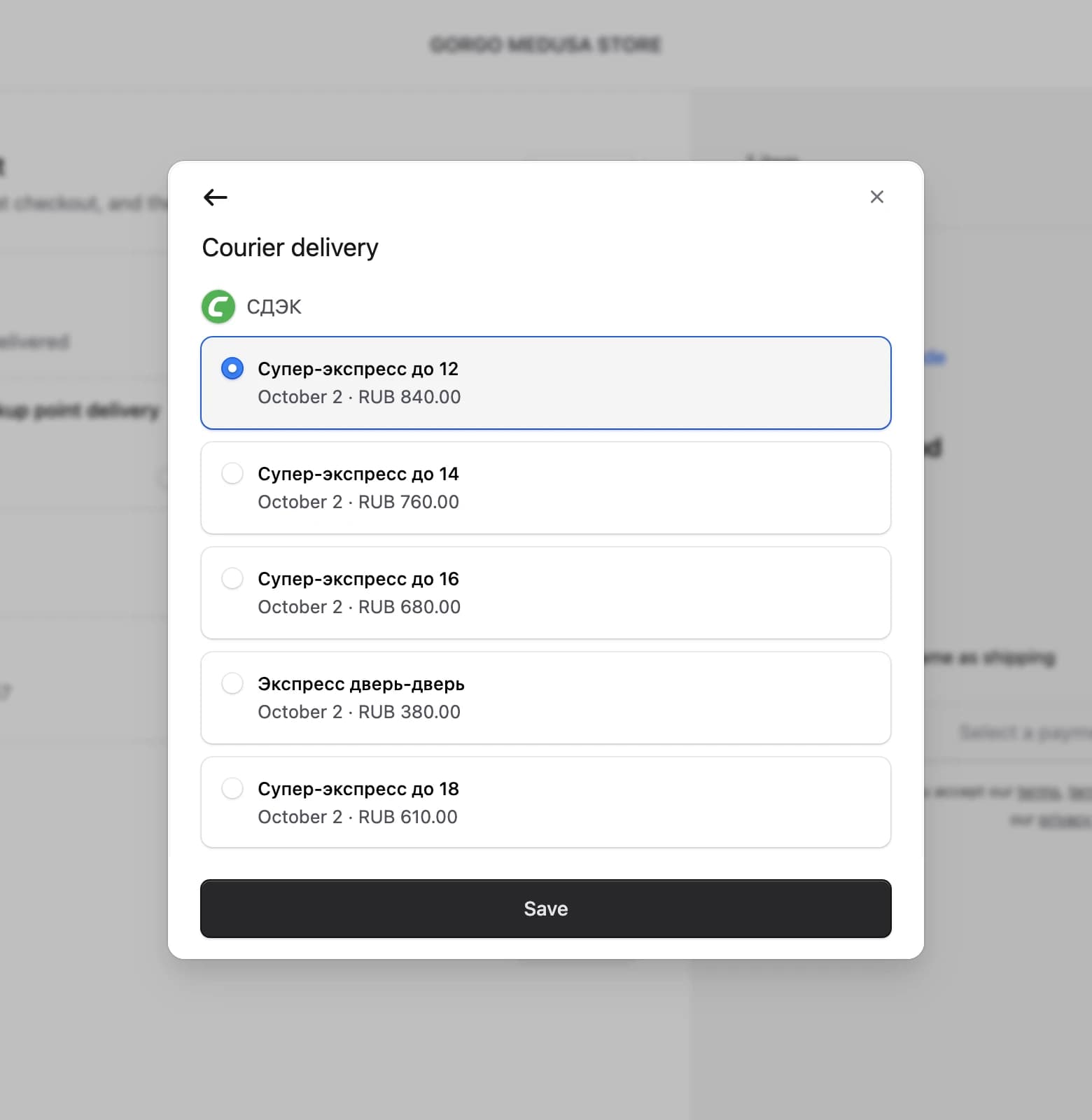
Courier step of the ApiShip delivery sheet with the CDEK tariff list

The tariff list shows the tariffs of one shipping option grouped by carrier, each with its delivery date and price. The courier step of the delivery sheet shows it for every carrier, and the pickup point panel shows it for the tariffs that serve the selected point.

Create with the following content:
Directory structure in the Medusa Storefront after creating the file for the carrier logo

src/modules/checkout/components/apiship/provider-logo.tsx
1import { clx } from "@medusajs/ui"
2import Image from "next/image"
3
4type ProviderLogoProps = {
5 src?: string
6 className?: string
7}
8
9export default function ProviderLogo({ src, className }: ProviderLogoProps) {
10 if (!src) return null
11
12 return (
13 <Image
14 src={src}
15 alt=""
16 width={24}
17 height={24}
18 className={clx(
19 "h-6 w-6 shrink-0 rounded-full shadow-borders-base",
20 className
21 )}
22 />
23 )
24}

draws a carrier's logo, which the plugin returns as an SVG data URI in the carrier's field. The tariff list, the pickup point panel and the delivery row all use it.

Create with the following content:
Directory structure in the Medusa Storefront after creating the file for the tariff list

src/modules/checkout/components/apiship/tariff-list.tsx
1"use client"
2
3import { convertToLocale } from "@lib/util/money"
4import { useFormatDeliveryDays } from "@lib/hooks/use-format-delivery-days"
5import { useLocaleDirection } from "@lib/hooks/use-locale-direction"
6import { RadioGroup, Text } from "@medusajs/ui"
7import { useLocale } from "next-intl"
8import ProviderLogo from "./provider-logo"
9import type { ApishipProvider, ApishipTariff } from "types/apiship"
10import { getTariffCost, getTariffDays } from "./utils"
11
12type TariffGroup = {
13 providerKey: string
14 tariffs: ApishipTariff[]
15}
16
17type TariffListProps = {
18 groups: TariffGroup[]
19 currencyCode: string
20 providers: Record<string, ApishipProvider>
21 selectedKey: string | null
22 onSelect: (key: string) => void
23 /** Carrier headings only help when more than one carrier is on offer. */
24 showGroupNames?: boolean
25}
26
27/**
28 * The tariffs of one shipping option, grouped by carrier. Both the courier modal and the
29 * map's point panel show the same list, so the two stay in step.
30 */
31export default function TariffList({
32 groups,
33 currencyCode,
34 providers,
35 selectedKey,
36 onSelect,
37 showGroupNames = true,
38}: TariffListProps) {
39 const dir = useLocaleDirection()
40 const locale = useLocale()
41 const formatDeliveryDays = useFormatDeliveryDays()
42
43 return (
44 <RadioGroup
45 dir={dir}
46 value={selectedKey ?? undefined}
47 onValueChange={onSelect}
48 className="flex flex-col gap-[10px]"
49 >
50 {groups.map((group) => (
51 <div key={group.providerKey} className="flex flex-col gap-[10px]">
52 {showGroupNames && (
53 <div className="flex items-center gap-x-2">
54 <ProviderLogo src={providers[group.providerKey]?.icon} />
55 <Text className="txt-compact-small-plus text-ui-fg-subtle">
56 {providers[group.providerKey]?.name ?? group.providerKey}
57 </Text>
58 </div>
59 )}
60
61 {group.tariffs.map((tariff) => {
62 const cost = getTariffCost(tariff)
63 const days = formatDeliveryDays(getTariffDays(tariff))
64
65 return (
66 <RadioGroup.ChoiceBox
67 key={tariff.key}
68 value={tariff.key}
69 label={tariff.tariffName ?? group.providerKey}
70 description={[
71 days,
72 cost === null
73 ? null
74 : convertToLocale({
75 amount: cost,
76 currency_code: currencyCode,
77 locale,
78 }),
79 ]
80 .filter(Boolean)
81 .join(" · ")}
82 data-testid="apiship-tariff-radio"
83 />
84 )
85 })}
86 </div>
87 ))}
88 </RadioGroup>
89 )
90}

Each tariff is a from , with the tariff name as the label and the delivery date and price as the description. The pickup point panel passes , since its tariffs all belong to the point's own carrier.


Step 10: Create Pickup Point Map

Here is how the pickup point map you build in this step looks in the delivery sheet:
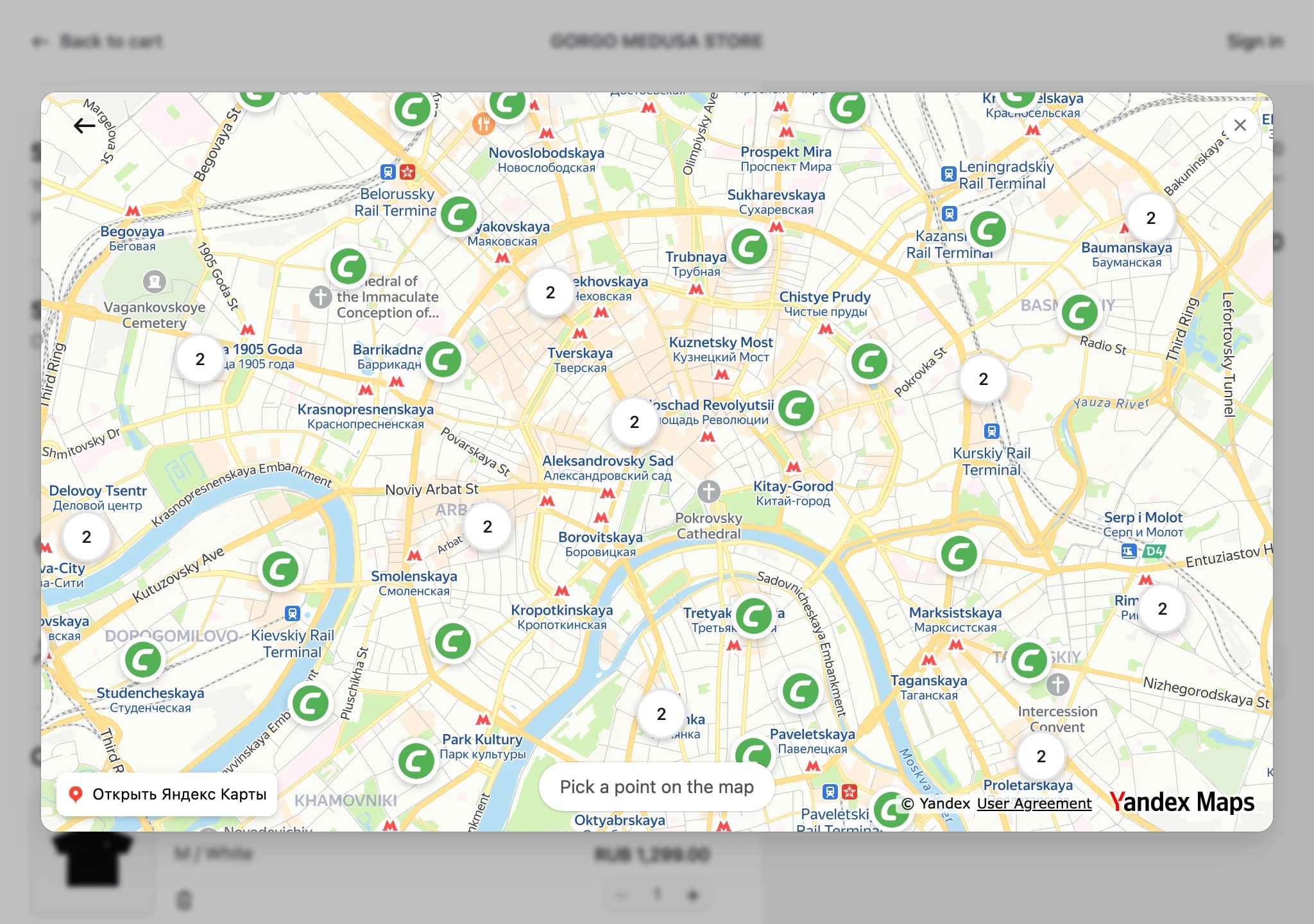
ApiShip pickup point map with carrier markers and clusters in Moscow

The map shows the pickup points that serve the customer's address, each marked with its carrier's logo, and groups points that sit close together into a numbered cluster. Clicking a cluster zooms into it, and clicking a point selects it.

Create with the following content:
Directory structure in the Medusa Storefront after creating the file for the pickup point map

src/modules/checkout/components/apiship/pickup-point-map.tsx
27const Z_INDEX_SELECTED = 1
28
29/**
30 * Yandex Maps takes a full locale and rejects a bare language tag with a 400, so the
31 * storefront's own locale is mapped onto the four the map supports.
32 */
33const YANDEX_LANGS: Record<string, string> = {
34 en: "en_US",
35 ru: "ru_RU",
36 tr: "tr_TR",
37 uk: "uk_UA",
38}
39
40const toYandexLang = (locale: string) =>
41 YANDEX_LANGS[locale.split(/[-_]/)[0].toLowerCase()] ?? "en_US"
42
43function loadYmaps3Script(apiKey: string, lang: string) {
44 if (typeof ymaps3 !== "undefined") return Promise.resolve()
45
46 return new Promise<void>((resolve, reject) => {
47 const script = document.createElement("script")
48 script.src = `https://api-maps.yandex.ru/v3/?apikey=${encodeURIComponent(
49 apiKey
50 )}&lang=${encodeURIComponent(lang)}`
51 script.async = true
52 script.onload = () => resolve()
53 script.onerror = () => {
54 script.remove()
55 reject(new Error("Failed to load the Yandex Maps script"))
56 }
57 document.head.appendChild(script)
58 })
59}
60
61async function loadMapComponents(apiKey: string, lang: string) {
62 await loadYmaps3Script(apiKey, lang)
63 await ymaps3.ready
64
65 const [{ reactify }, clusterer] = await Promise.all([
66 ymaps3.import("@yandex/ymaps3-reactify"),
67 import("@yandex/ymaps3-clusterer"),
68 ])
69
70 const bound = reactify.bindTo(React, ReactDOM)
71 const { YMap, YMapDefaultSchemeLayer, YMapDefaultFeaturesLayer, YMapMarker } =
72 bound.module(ymaps3)
73 const { YMapClusterer } = bound.module(clusterer)
74
75 return {
76 YMap,
77 YMapDefaultSchemeLayer,
78 YMapDefaultFeaturesLayer,
79 YMapMarker,
80 YMapClusterer,
81 }
82}
83
84type MapComponents = Awaited<ReturnType<typeof loadMapComponents>>
85
86let mapComponentsLoading: Promise<MapComponents> | null = null
87
88const getMapComponents = (apiKey: string, lang: string) => {
89 mapComponentsLoading ??= loadMapComponents(apiKey, lang).catch((e) => {
90 mapComponentsLoading = null
91 throw e
92 })
93 return mapComponentsLoading
94}
95
96const locationForPoints = (
97 points: ApishipPoint[],

The component loads the Yandex Maps script once, with the key from Step 2 and the storefront's locale. Yandex Maps rejects a bare language tag, so maps the locale onto the four languages the map supports and falls back to English for the rest. The map's React components come from the API's own module, and the clusterer from the package installed in Step 1.

merges markers that sit closer than 60 pixels on screen, recalculates once per zoom level and returns only the clusters in view. The map fits its view to all points, or opens on the pickup point the customer picked before. When the key is missing, the map fails to load or no pickup point serves the address, the component shows a message instead.


Step 11: Create Delivery Sheet

Here is how the delivery sheet you build in this step looks with a pickup point selected on the map:
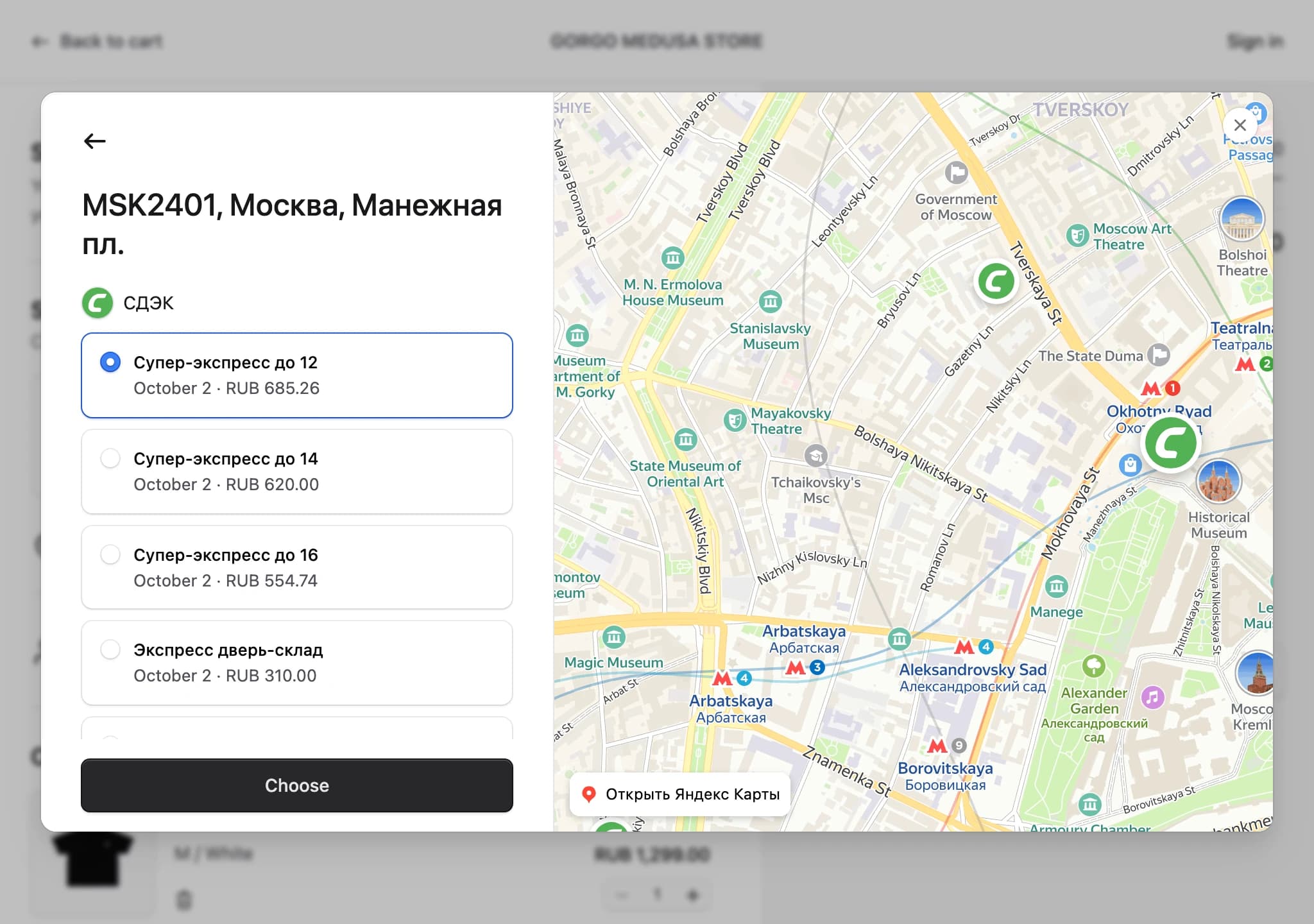
ApiShip delivery sheet with a selected pickup point, its tariffs and the map

ApiShip can't calculate anything before it knows the address, so the delivery sheet has two steps. The first is the checkout's own address form. The second is the tariff list for courier delivery, or the map with a panel for the selected pickup point.

Create with the following content:
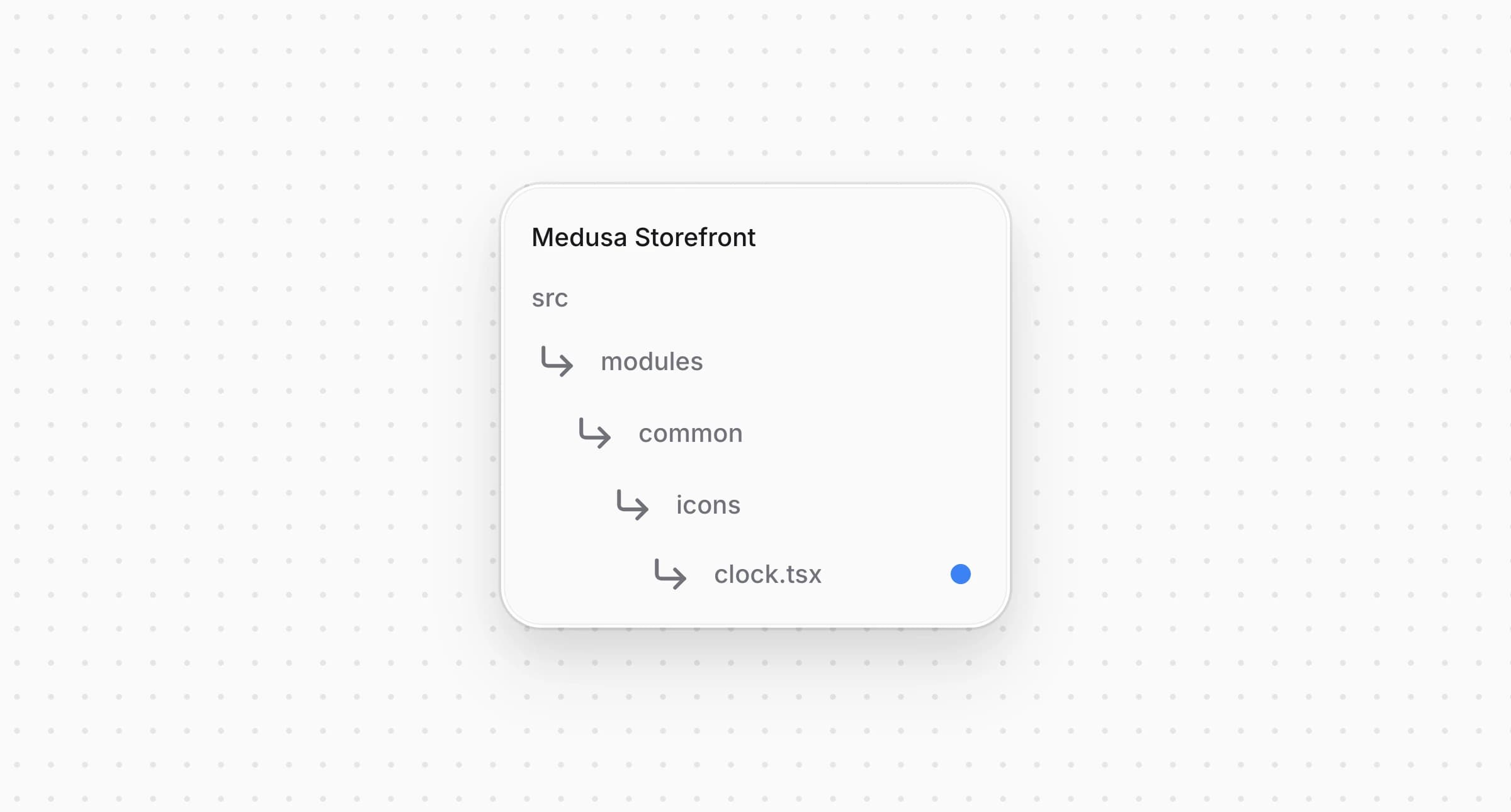
Directory structure in the Medusa Storefront after creating the file for the clock icon

src/modules/common/icons/clock.tsx
1import type React from "react"
2
3import type { IconProps } from "types/icon"
4
5const Clock: React.FC<IconProps> = ({
6 size = "20",
7 color = "currentColor",
8 ...attributes
9}) => {
10 return (
11 <svg
12 width={size}
13 height={size}
14 viewBox="0 0 20 20"
15 fill="none"
16 xmlns="http://www.w3.org/2000/svg"
17 {...attributes}
18 >
19 <path
20 d="M10.0003 17.5C14.1425 17.5 17.5003 14.1421 17.5003 10C17.5003 5.85786 14.1425 2.5 10.0003 2.5C5.85819 2.5 2.50033 5.85786 2.50033 10C2.50033 14.1421 5.85819 17.5 10.0003 17.5Z"
21 stroke={color}
22 strokeWidth="1.5"
23 strokeLinecap="round"
24 strokeLinejoin="round"
25 />
26 <path
27 d="M10 5.83337V10L12.5 11.6667"
28 stroke={color}
29 strokeWidth="1.5"
30 strokeLinecap="round"
31 strokeLinejoin="round"
32 />
33 </svg>
34 )
35}
36
37export default Clock

The pickup point panel shows the opening hours next to this icon.

Create with the following content:
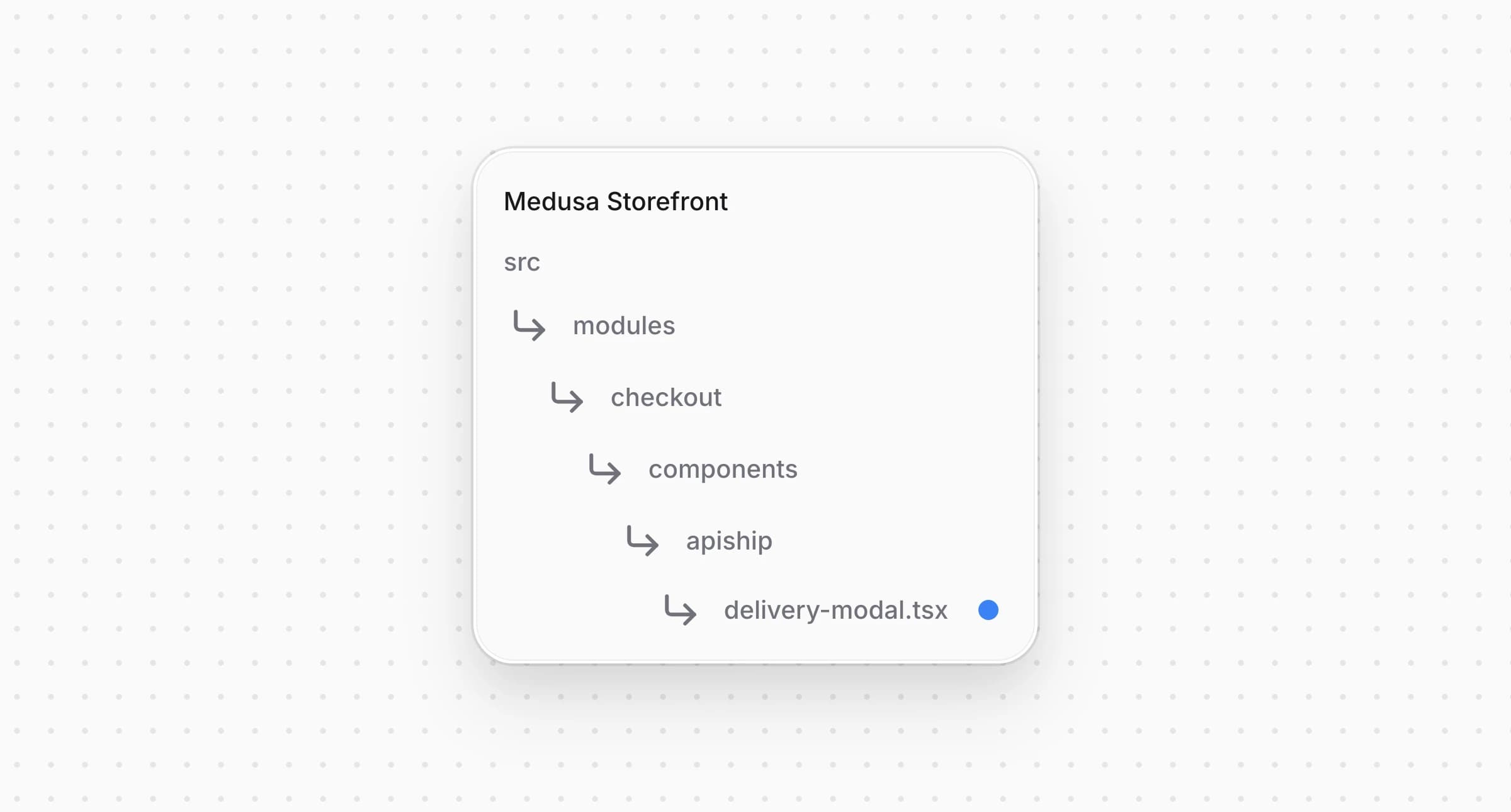
Directory structure in the Medusa Storefront after creating the file for the delivery sheet

src/modules/checkout/components/apiship/delivery-modal.tsx
44}
45
46/**
47 * ApiShip needs an address before it can quote anything, so the flow is two steps in one
48 * sheet. The first is the checkout's own address step, and only then does the second show
49 * what the carriers offer for that address, a tariff list for courier delivery and a map
50 * of pickup points for the rest.
51 */
52export default function ApishipDeliveryModal({
53 open,
54 onClose,
55 cart,
56 addresses,
57 option,
58 providers,
59}: ApishipDeliveryModalProps) {
60 const t = useTranslations("Apiship")
61 const tCheckout = useTranslations("CheckoutPage")
62 const locale = useLocale()
63 const { setOptionData } = useShippingSelection()
64
65 const toPoint = getApishipDeliveryType(option) === 2
66
67 const [step, setStep] = useState<"address" | "choice">("address")
68 const [calculation, setCalculation] = useState<ApishipCalculation | null>(null)
69 const [points, setPoints] = useState<ApishipPoint[]>([])
70 const [tariffsByPointId, setTariffsByPointId] = useState<
71 Record<string, ApishipTariff[]>
72 >({})
73 const [isLoading, setIsLoading] = useState(false)
74 const [isSaving, setIsSaving] = useState(false)
75 const [loadFailed, setLoadFailed] = useState(false)
76 const [error, setError] = useState<string | null>(null)
77 const [selectedPointId, setSelectedPointId] = useState<string | null>(null)
78 const [selectedTariffKey, setSelectedTariffKey] = useState<string | null>(null)
79 const [loadedKey, setLoadedKey] = useState<string | null>(null)
80
81 const savedSelection = useApishipSelection(cart, option.id)
82 const savedPointId = savedSelection?.point?.id ?? null
83 const savedTariffKey = savedSelection?.tariff.key ?? null
84
85 const hasAddress = Boolean(cart.shipping_address?.address_1)
86 const addressKey = [
87 cart.shipping_address?.country_code,
88 cart.shipping_address?.province,
89 cart.shipping_address?.city,
90 cart.shipping_address?.postal_code,
91 cart.shipping_address?.address_1,
92 cart.shipping_address?.address_2,
93 ].join("|")
94 const itemsKey = (cart.items ?? [])
95 .map((item) => `${item.variant_id}:${item.quantity}`)
96 .join(",")
97 const requestKey = [option.id, addressKey, itemsKey].join("#")
98
99 useEffect(() => {
100 if (!open) return
101 setError(null)
102 setStep(hasAddress ? "choice" : "address")
103 }, [open, hasAddress])
104
105 useEffect(() => {
106 if (!open) return
107 setSelectedPointId(savedPointId)
108 setSelectedTariffKey(savedTariffKey)
109 }, [open, savedPointId, savedTariffKey])
110
111 useEffect(() => {
112 if (!open || step !== "choice" || loadedKey === requestKey) return
113
114 let cancelled = false
115 setIsLoading(true)
116 setLoadFailed(false)
117
118 void (async () => {
119 const result = await retrieveApishipDeliveryChoice(
120 cart.id,
121 option.id,
122 toPoint
123 )
124 if (cancelled) return
125
126 setCalculation(result?.calculation ?? null)
127 setTariffsByPointId(
128 result && toPoint ? buildTariffsByPointId(result.calculation) : {}
129 )
130 setPoints(result?.points ?? [])
131 setLoadFailed(!result)
132 setLoadedKey(result ? requestKey : null)
133 setIsLoading(false)
134 })()
135
136 return () => {
137 cancelled = true
138 }
139 }, [open, step, cart.id, option.id, toPoint, requestKey, loadedKey])
140
141 const weekdayFormatter = useMemo(

The sheet opens on the address step when the cart has no address yet, and on the choice step otherwise. It loads the calculation when the choice step opens and again whenever the option, the address or the cart items change, which tracks. For a pickup point option it builds the tariffs of each point with , and the panel shows the clicked point's tariffs together with its address, opening hours, description and photos.

saves the choice with under , and in the shipping selection context. The plugin calculates the cart again on its side and rejects a tariff that isn't available for the cart, or that doesn't serve the chosen pickup point. The sheet then shows the error and stays open.


Step 12: Create Barrel File

Create with the following content:
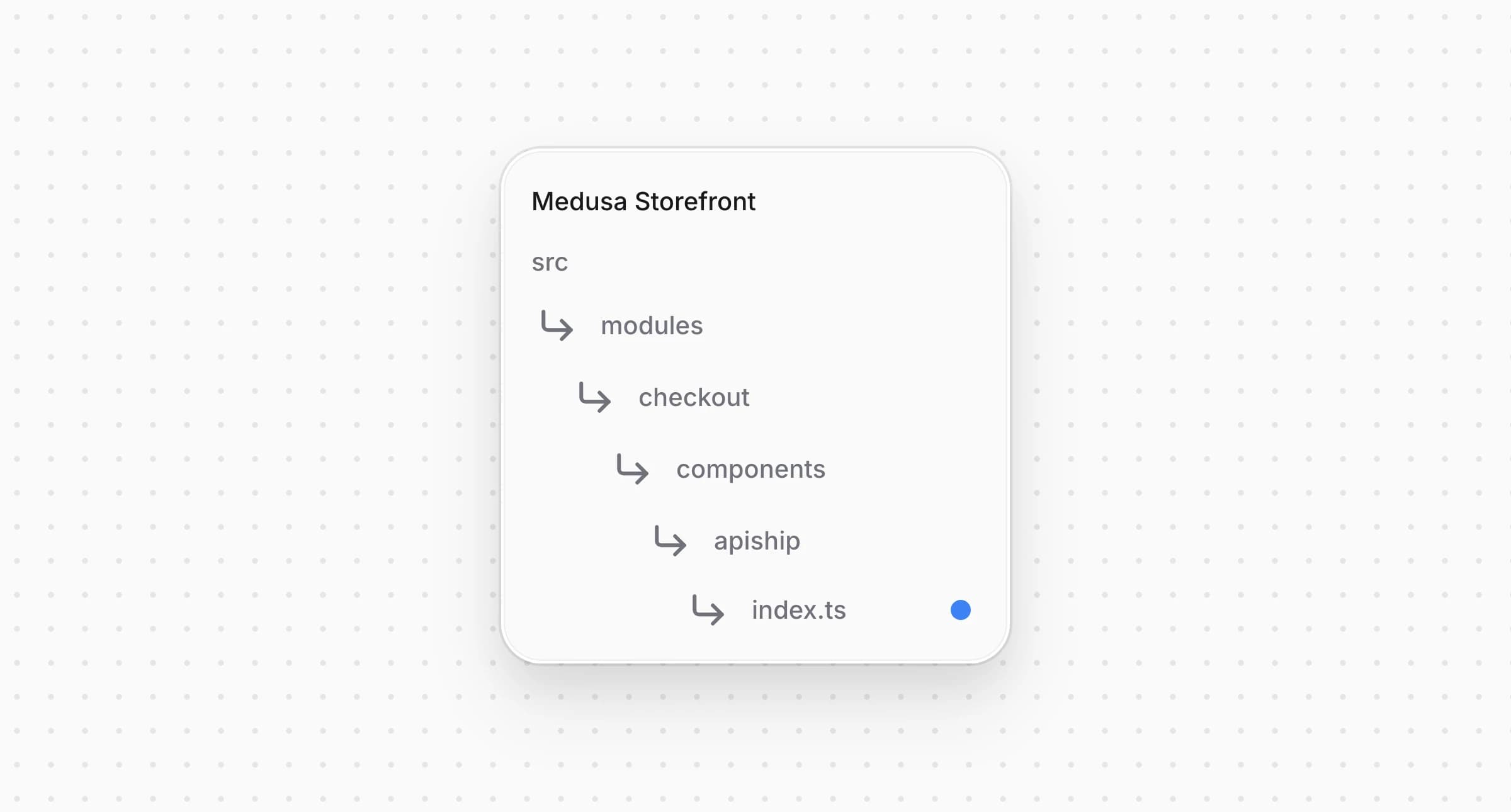
Directory structure in the Medusa Storefront after creating the file for the ApiShip entry point

src/modules/checkout/components/apiship/index.ts
1export { default as ApishipDeliveryModal } from "./delivery-modal"
2export { default as ApishipProviderLogo } from "./provider-logo"
3export { useApishipProviders } from "./use-apiship-providers"
4export { useApishipSelection } from "./use-apiship-selection"
5export type {
6 ApishipPoint,
7 ApishipSelection,
8 ApishipTariff,
9} from "types/apiship"
10export {
11 APISHIP_PROVIDER_PREFIX,
12 getApishipDeliveryType,
13 getApishipSelection,
14 getTariffCost,
15 getTariffDays,
16 isApishipOption,
17} from "./utils"

The card and the row in the next steps import everything they need from ApiShip through this file.


Step 13: Register ApiShip Shipping Options

The descriptor tells the starter's checkout how to treat an ApiShip shipping option.

Create with the following content:
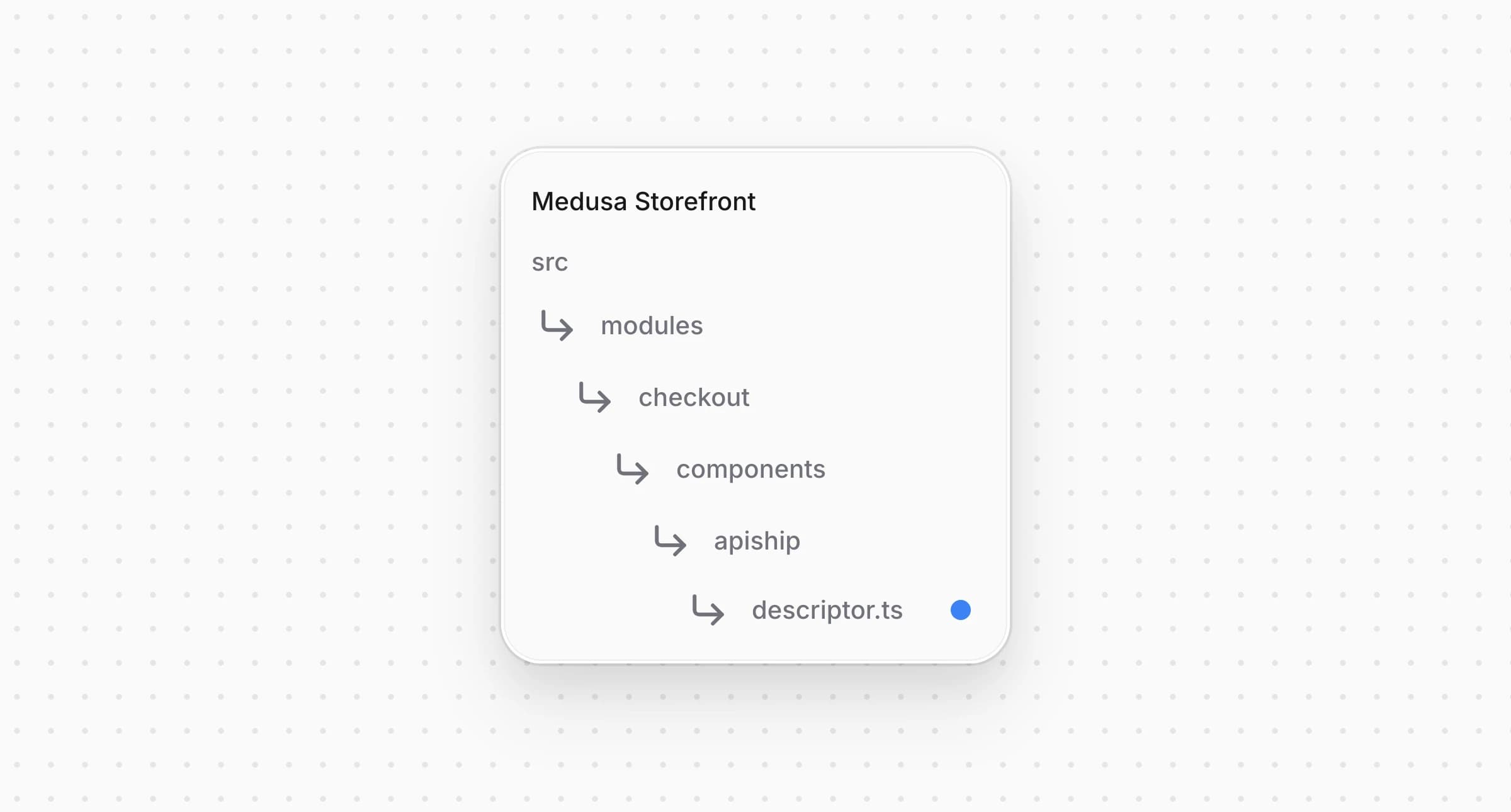
Directory structure in the Medusa Storefront after creating the file for the ApiShip descriptor

src/modules/checkout/components/apiship/descriptor.ts
1import type { ShippingOptionDescriptor } from "@lib/constants"
2import { removeApishipShippingMethod } from "@lib/data/apiship"
3import {
4 getApishipSelection,
5 isApishipOption,
6 isApishipSelectionComplete,
7} from "./utils"
8
9export const apishipShippingOptionDescriptor: ShippingOptionDescriptor = {
10 test: isApishipOption,
11 // ApiShip attaches with the cheapest tariff it found, which is enough to price the
12 // cart but not to ship it: the order needs the tariff the customer actually picked,
13 // and a pickup point where the option delivers to one.
14 isReady: (cart, option) =>
15 isApishipSelectionComplete(getApishipSelection(cart, option.id), option),
16 pricedByChoice: true,
17 removeShippingMethod: removeApishipShippingMethod,
18}

Then open and add the descriptor to :

Directory structure in the Medusa Storefront after updating the file for constants

src/lib/constants.tsx
1import { apishipShippingOptionDescriptor } from "@modules/checkout/components/apiship/descriptor"
2// ...
3
4const shippingOptionDescriptors: ShippingOptionDescriptor[] = [
5 apishipShippingOptionDescriptor,
6]
  • matches an ApiShip option by its provider.
  • reports the shipping method as ready once the customer has picked a tariff, and a pickup point for an option that delivers to one. Until then the payment button stays disabled.
  • tells the checkout that the option has no price before the choice. The checkout doesn't quote it, lets the customer select it without a price, keeps it off the cart, and takes it off again when the address changes.
  • is the loader from Step 5, which the checkout calls whenever it takes the method off the cart.

Step 14: Create Shipping Option Card

Here is how the shipping option cards you build in this step look at the checkout:
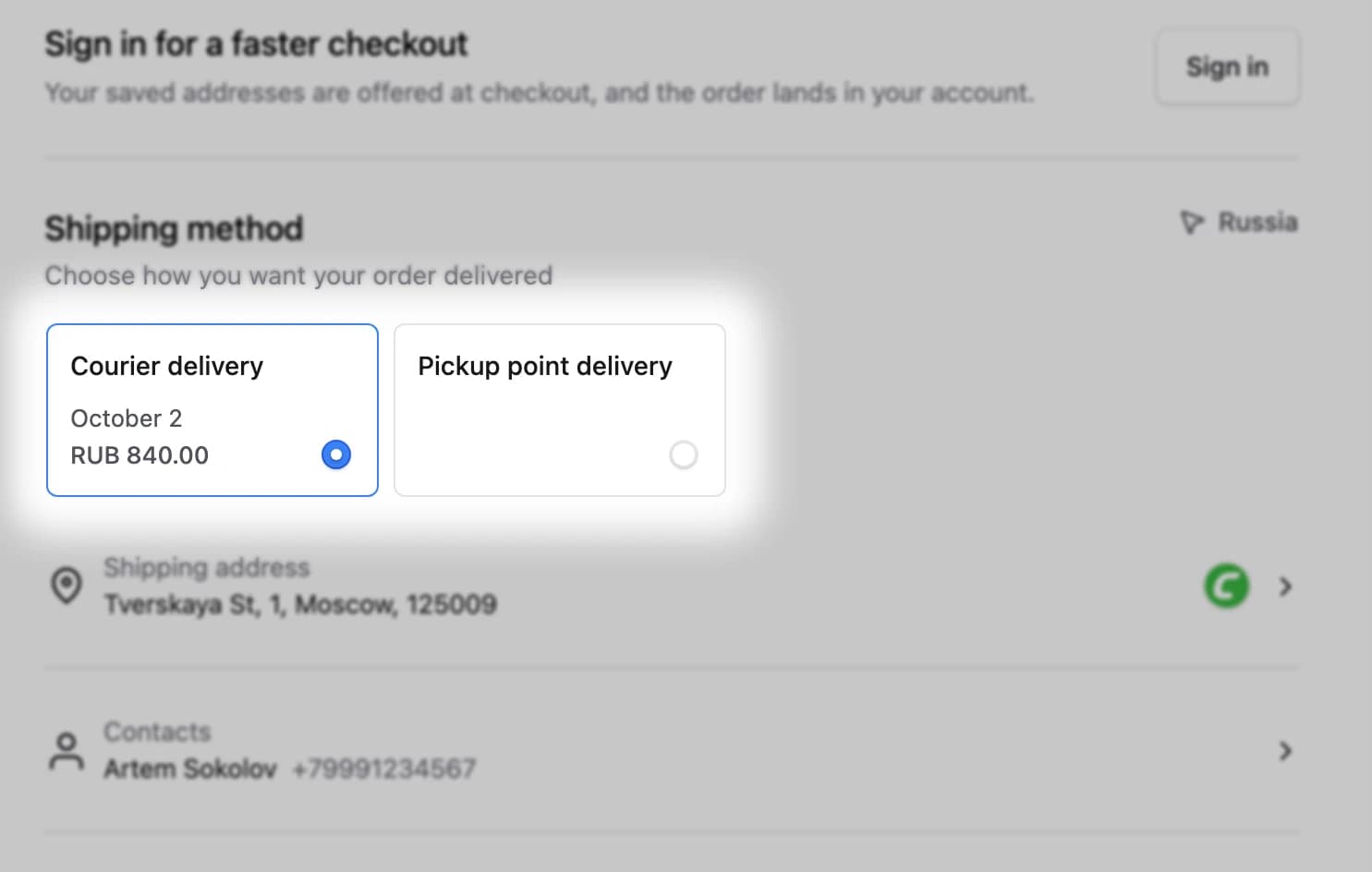
ApiShip shipping option cards, with the courier option priced by the picked tariff

The card shows an ApiShip option in the list of delivery methods. It has no price until the customer picks a tariff, and then shows the tariff's delivery date and the exact price the cart is charged.

Create with the following content:
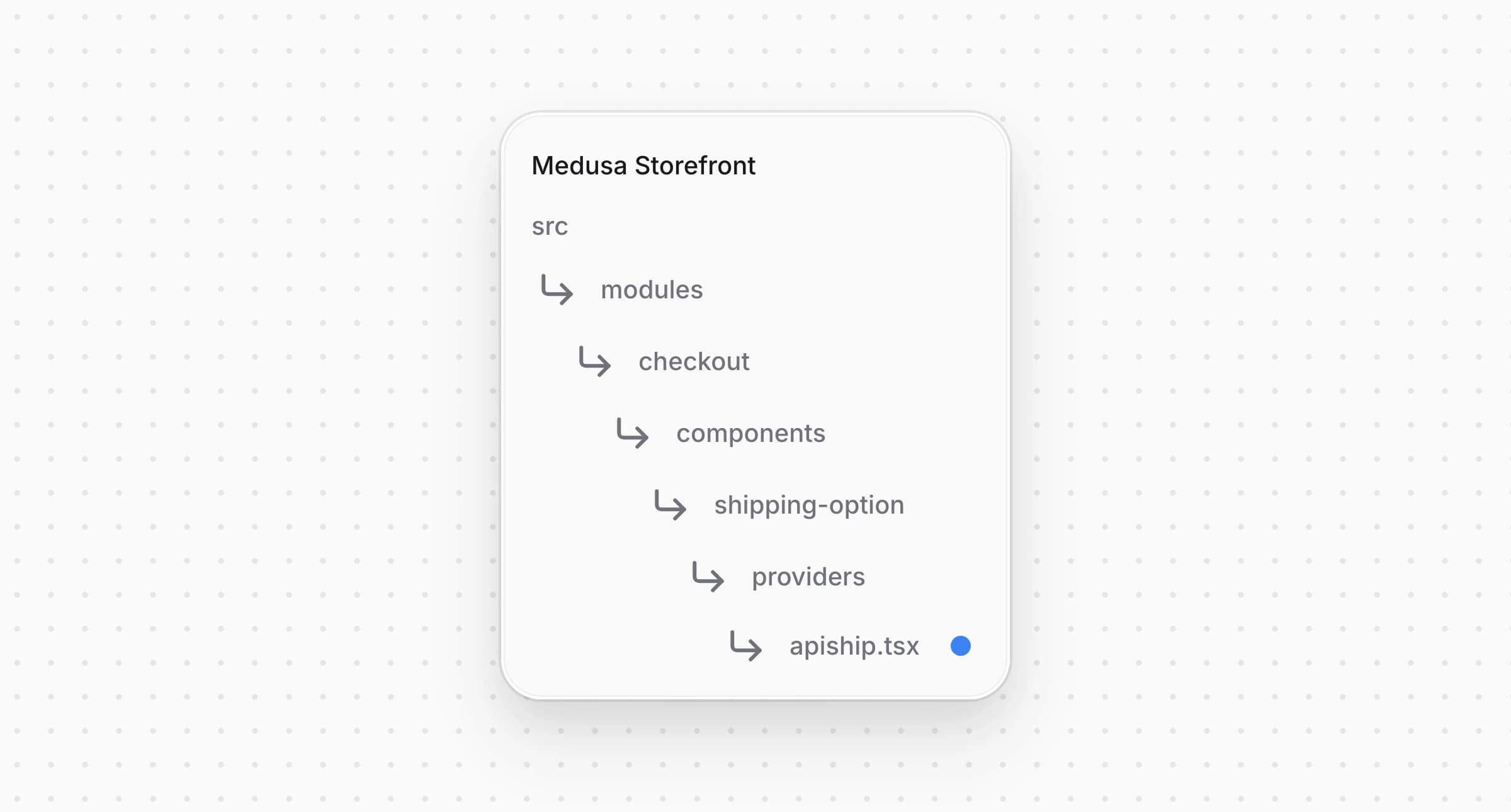
Directory structure in the Medusa Storefront after creating the file for the ApiShip shipping option card

src/modules/checkout/components/shipping-option/providers/apiship.tsx
1"use client"
2
3import { convertToLocale } from "@lib/util/money"
4import {
5 getTariffCost,
6 getTariffDays,
7 useApishipSelection,
8} from "@modules/checkout/components/apiship"
9import { useLocale, useTranslations } from "next-intl"
10import type React from "react"
11import { ShippingOptionCardShell, type ShippingOptionCardProps } from "../shared"
12
13/**
14 * ApiShip has no price until the customer picks a tariff, so the card shows none. Once a
15 * tariff is picked the card carries its delivery dates and exactly the price the cart is
16 * charged, and keeps both while the customer looks at another method, since the choice is
17 * kept too.
18 */
19const ApishipShippingOptionCard: React.FC<ShippingOptionCardProps> = ({
20 cart,
21 option,
22 isSelected,
23 isUnavailable,
24 formatDeliveryDays,
25}) => {
26 const tCheckout = useTranslations("CheckoutPage")
27 const locale = useLocale()
28 const selection = useApishipSelection(cart, option.id)
29
30 const cost = selection ? getTariffCost(selection.tariff) : null
31
32 const price =
33 cost === null
34 ? null
35 : cost === 0
36 ? tCheckout("freeShipping")
37 : convertToLocale({
38 amount: cost,
39 currency_code: cart.currency_code,
40 locale,
41 })
42
43 const caption = selection
44 ? formatDeliveryDays(getTariffDays(selection.tariff))
45 : null
46
47 return (
48 <ShippingOptionCardShell
49 option={option}
50 isSelected={isSelected}
51 isUnavailable={isUnavailable}
52 price={price}
53 isLoadingPrice={false}
54 isFreeShipping={cost === 0}
55 caption={caption}
56 />
57 )
58}
59
60export default ApishipShippingOptionCard

The card renders through the starter's , so it keeps the same layout as the starter's own options. It keeps its price while the customer looks at another option, because keeps the choice too.

Then open and add a case for ApiShip to the card dispatcher:
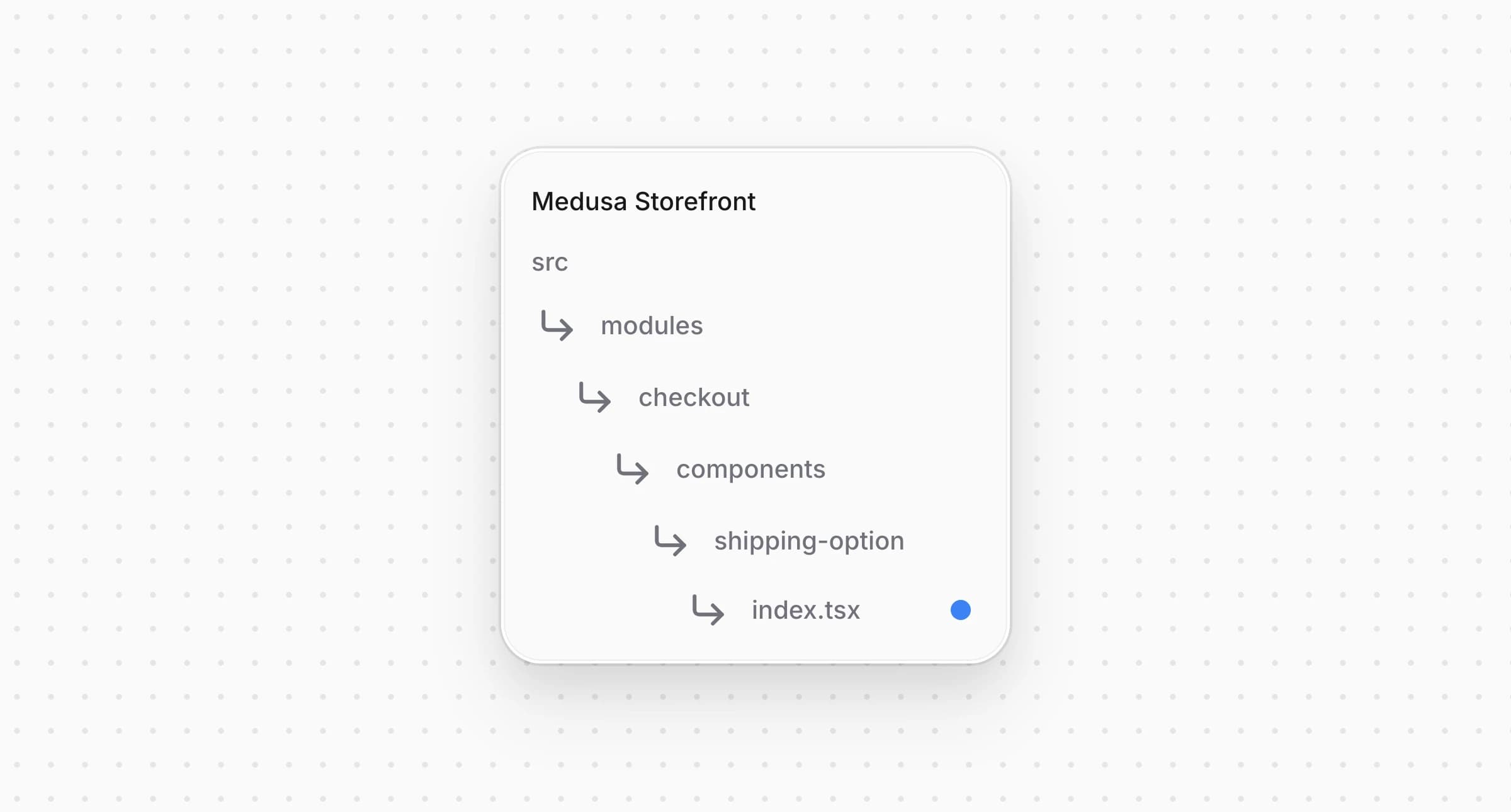
Directory structure in the Medusa Storefront after updating the file for the shipping option card dispatcher

src/modules/checkout/components/shipping-option/index.tsx
1import { isApishipOption } from "@modules/checkout/components/apiship"
2import ApishipShippingOptionCard from "./providers/apiship"
3// ...
4
5 switch (true) {
6 case isApishipOption(props.option):
7 return <ApishipShippingOptionCard {...props} />
8 default:
9 return <ManualShippingOptionCard {...props} />
10 }

Every option that isn't ApiShip still falls through to the starter's manual card.


Step 15: Create Delivery Row

Here is how the delivery row you build in this step looks at the checkout:
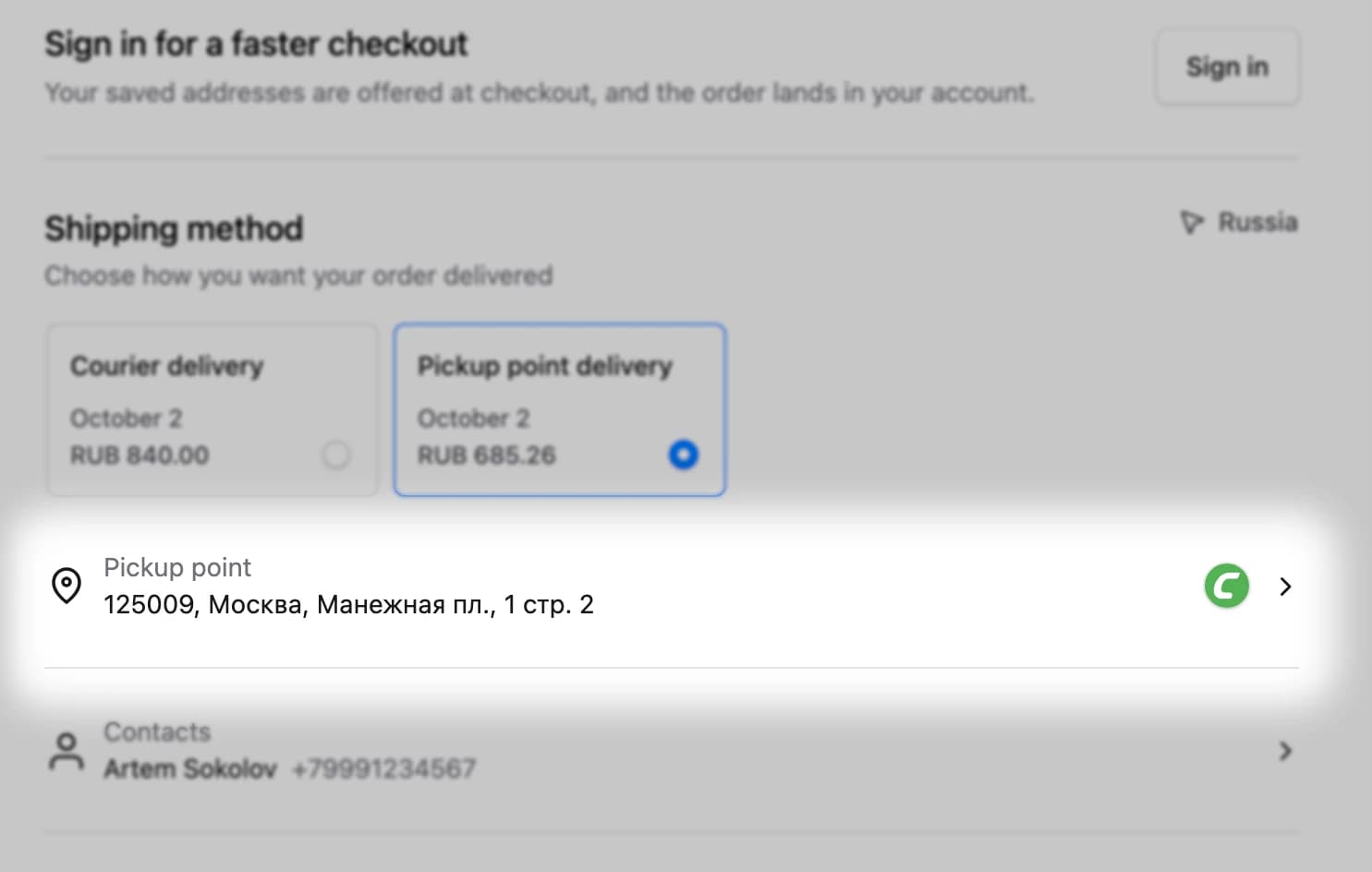
ApiShip delivery row with the selected pickup point and the CDEK logo

The delivery row sits under the shipping options and opens the delivery sheet. For courier delivery it shows the address, and for a pickup point option the point's address under the "Pickup point" heading. Once the customer has made a choice, the carrier's logo appears at the end of the row.

The starter's row has no place for the logo yet. Open and add a prop:
Directory structure in the Medusa Storefront after updating the file for the checkout info row

src/modules/checkout/components/checkout-info-rows/row.tsx
1type CheckoutInfoRowProps = {
2 // ...
3 trailing?: ReactNode
4 // ...
5}
6
7export default function CheckoutInfoRow({
8 // ...
9 trailing,
10 // ...
11}: CheckoutInfoRowProps) {
12 return (
13 <button
14 // ...
15 >
16 {/* ... */}
17 {(trailing || !disabled) && (
18 <div className="flex flex-shrink-0 items-center gap-x-3">
19 {trailing}
20 {!disabled && (
21 <ChevronRight className="text-ui-fg-base flex-shrink-0 rtl:rotate-180" />
22 )}
23 </div>
24 )}
25 </button>
26 )
27}

Open and pass through :

Directory structure in the Medusa Storefront after updating the file for the delivery row shell

src/modules/checkout/components/delivery-row/shared.tsx
1type DeliveryRowShellProps = {
2 // ...
3 trailing?: ReactNode
4 // ...
5}
6
7export const DeliveryRowShell = ({
8 // ...
9 trailing,
10 // ...
11}: DeliveryRowShellProps) => (
12 <CheckoutInfoRow
13 // ...
14 trailing={trailing}
15 // ...
16 />
17)

Create with the following content:

Directory structure in the Medusa Storefront after creating the file for the ApiShip delivery row

src/modules/checkout/components/delivery-row/providers/apiship.tsx
1"use client"
2
3import { useState } from "react"
4import {
5 ApishipDeliveryModal,
6 ApishipProviderLogo,
7 getApishipDeliveryType,
8 useApishipProviders,
9 useApishipSelection,
10} from "@modules/checkout/components/apiship"
11import { useTranslations } from "next-intl"
12import type React from "react"
13import { DeliveryRowShell, type DeliveryRowProps } from "../shared"
14
15/**
16 * The row an ApiShip method collects its choice through. Delivery to a pickup point asks
17 * for the point rather than an address, so the row says so and carries the point under
18 * the heading; courier delivery keeps the address. Either way the row opens the same
19 * two-step sheet, address first and the carrier's offer second.
20 */
21const ApishipDeliveryRow: React.FC<DeliveryRowProps> = ({
22 cart,
23 addresses,
24 option,
25}) => {
26 const t = useTranslations("Apiship")
27 const tCheckout = useTranslations("CheckoutPage")
28 const [open, setOpen] = useState(false)
29
30 const selection = useApishipSelection(cart, option?.id)
31 const providers = useApishipProviders(option?.id, open || !!selection)
32
33 if (!option) return null
34
35 const toPoint = getApishipDeliveryType(option) === 2
36 const providerKey = selection?.point?.providerKey ?? selection?.tariff.providerKey
37 const addr = cart.shipping_address
38
39 const addressText = addr?.address_1
40 ? [addr.address_1, addr.city, addr.postal_code].filter(Boolean).join(", ")
41 : null
42
43 return (
44 <>
45 <DeliveryRowShell
46 heading={toPoint ? t("pickupPointHeading") : tCheckout("addressHeading")}
47 onClick={() => setOpen(true)}
48 value={!selection ? null : toPoint ? selection.point?.address : addressText}
49 trailing={
50 selection && providerKey ? (
51 <ApishipProviderLogo src={providers[providerKey]?.icon} />
52 ) : null
53 }
54 data-testid="checkout-apiship-row"
55 />
56
57 <ApishipDeliveryModal
58 open={open}
59 onClose={() => setOpen(false)}
60 cart={cart}
61 addresses={addresses}
62 option={option}
63 providers={providers}
64 />
65 </>
66 )
67}
68
69export default ApishipDeliveryRow

The row opens . It starts loading the carriers only when the sheet opens or a choice already exists, so a customer who never opens the sheet causes no request for them.

Then open and add a case for ApiShip to the row dispatcher:
Directory structure in the Medusa Storefront after updating the file for the delivery row dispatcher

src/modules/checkout/components/delivery-row/index.tsx
1import { isApishipOption } from "@modules/checkout/components/apiship"
2// ...
3import ApishipDeliveryRow from "./providers/apiship"
4
5// ...
6
7 switch (true) {
8 case isApishipOption(props.option):
9 return <ApishipDeliveryRow {...props} />
10 default:
11 return <ManualDeliveryRow {...props} />
12 }

Every option that isn't ApiShip keeps the starter's address row.


Step 16: Add Checkout Strings to Storefront Locales

Add the namespace to and to every other locale under :

messages/en.json
1{
2 // ...
3 "Apiship": {
4 "choose": "Choose",
5 "courierModalTitle": "Courier delivery",
6 "loadFailed": "We couldn't load the delivery options. Please try again.",
7 "mapKeyMissing": "The map needs a Yandex Maps API key.",
8 "mapLoadFailed": "We couldn't load the map. Please try again.",
9 "next": "Next",
10 "noPoints": "No pickup points serve this address.",
11 "noTariffs": "No carrier delivers to this address.",
12 "photoAlt": "Pickup point photo {index}",
13 "pickupPointHeading": "Pickup point",
14 "pickupPointModalTitle": "Pickup point",
15 "pointDetails": "Details",
16 "schedule": "Opening hours",
17 "selectPointPrompt": "Pick a point on the map"
18 },
19 // ...
20}

The example translates the namespace into all 36 storefront locales. A locale without these keys fails at runtime, not at build time.


Full Storefront Integration Code Example

The complete storefront is located at , built on the Medusa DTC Starter by Gorgo. The example's own README lists every file the integration consists of, backend included.

Edited Oct 2, 2026·Edit this page