Manage Stripe Settings in Medusa Admin
In this guide, you'll learn how to view and edit Stripe integration settings in Medusa Admin via the Integration Module.
View Stripe Details
To view the Stripe details:
- Open Medusa Admin.
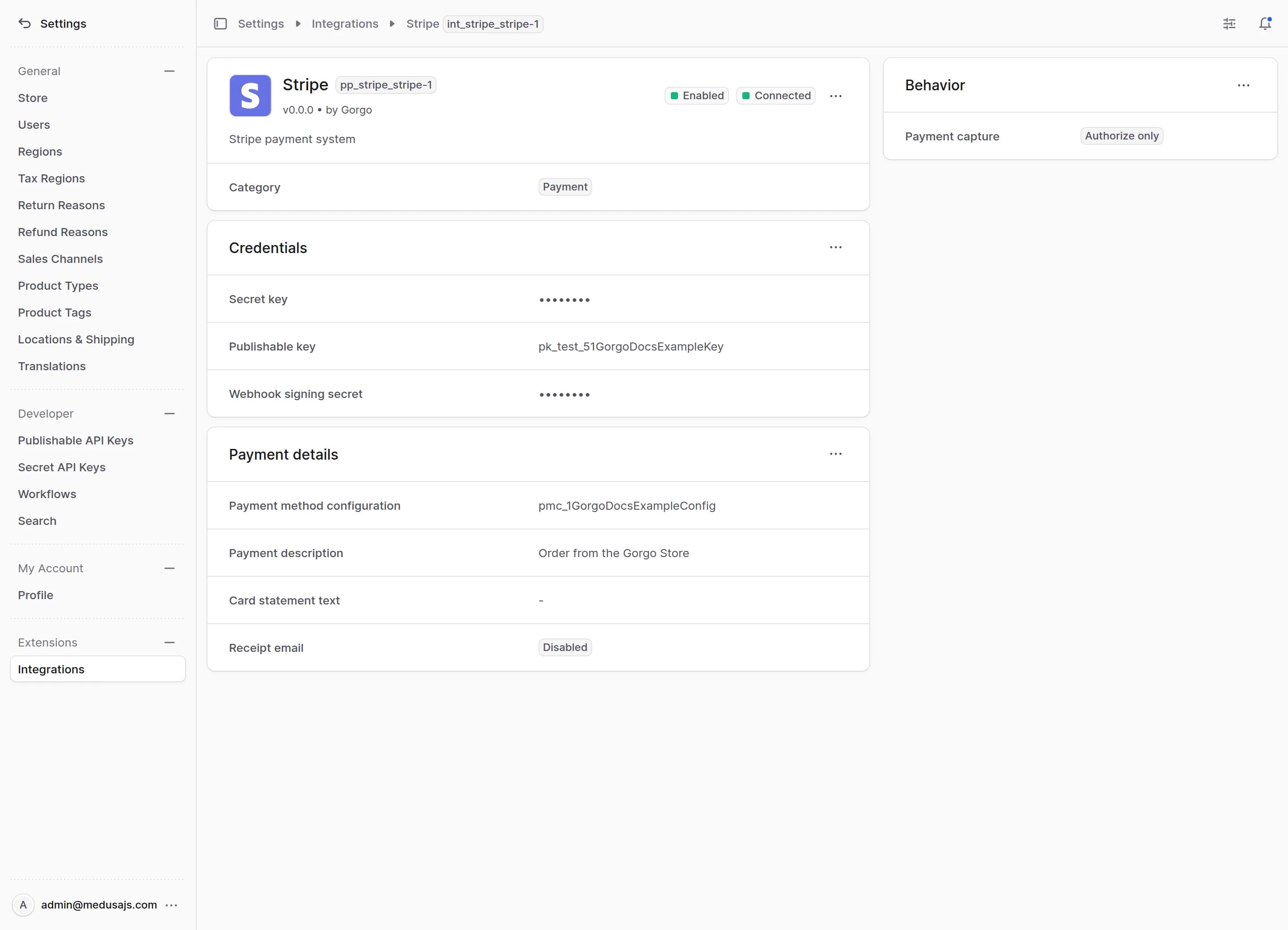
- Go to Settings → Integrations → Stripe.
This opens the Stripe settings page where you can review the credential details, the payment capture and the payment details.
Edit Stripe Credential Parameters
You can update the secret key, the publishable key and the webhook signing secret from the first section on the Stripe settings page. A key's prefix sets its mode, so keys starting with and take test payments, and keys starting with and take real ones. Both keys come from API keys in the Stripe Dashboard, and a restricted key starting with works in place of the secret key.
To edit the credential parameters:
- Go to Settings → Integrations → Stripe.
- In the Credentials section, click the action menu in the section's header.
- Choose Edit.
- In the side panel that opens, update the secret key, the publishable key and the webhook signing secret. See Webhook Setup for where the signing secret comes from.
- Click Save.
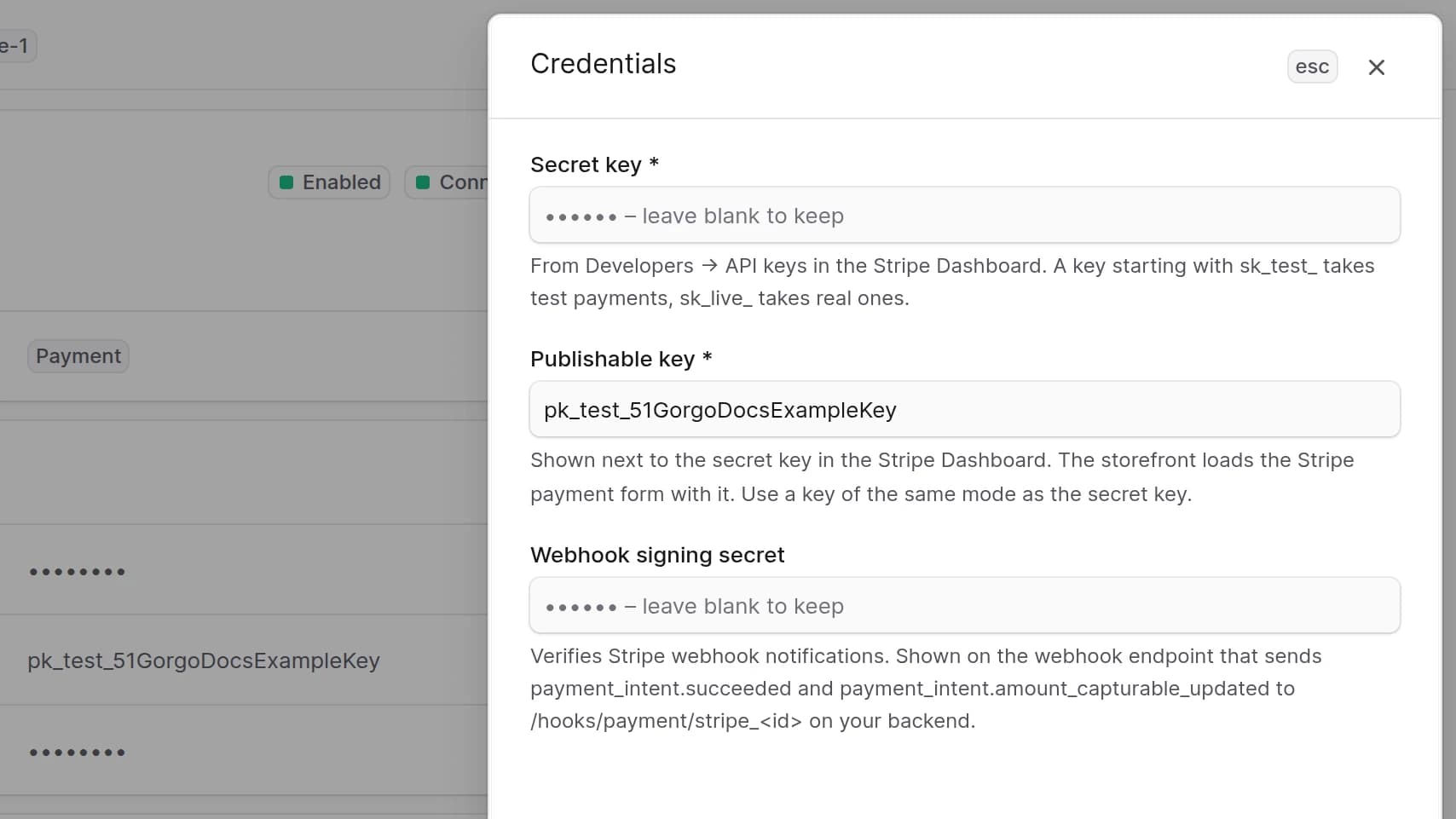
The settings refuse a publishable key whose mode differs from the secret key's, since the storefront would then show a payment form of the other mode.
Then click Test connection. It calls Stripe with the secret key, so a wrong key, or a restricted key that may not read PaymentIntents, fails here. With a signing secret, it also checks that an enabled webhook endpoint whose URL contains exists in the key's mode and sends and . A restricted key that may not read webhook endpoints skips this check.
Edit Behavior Type
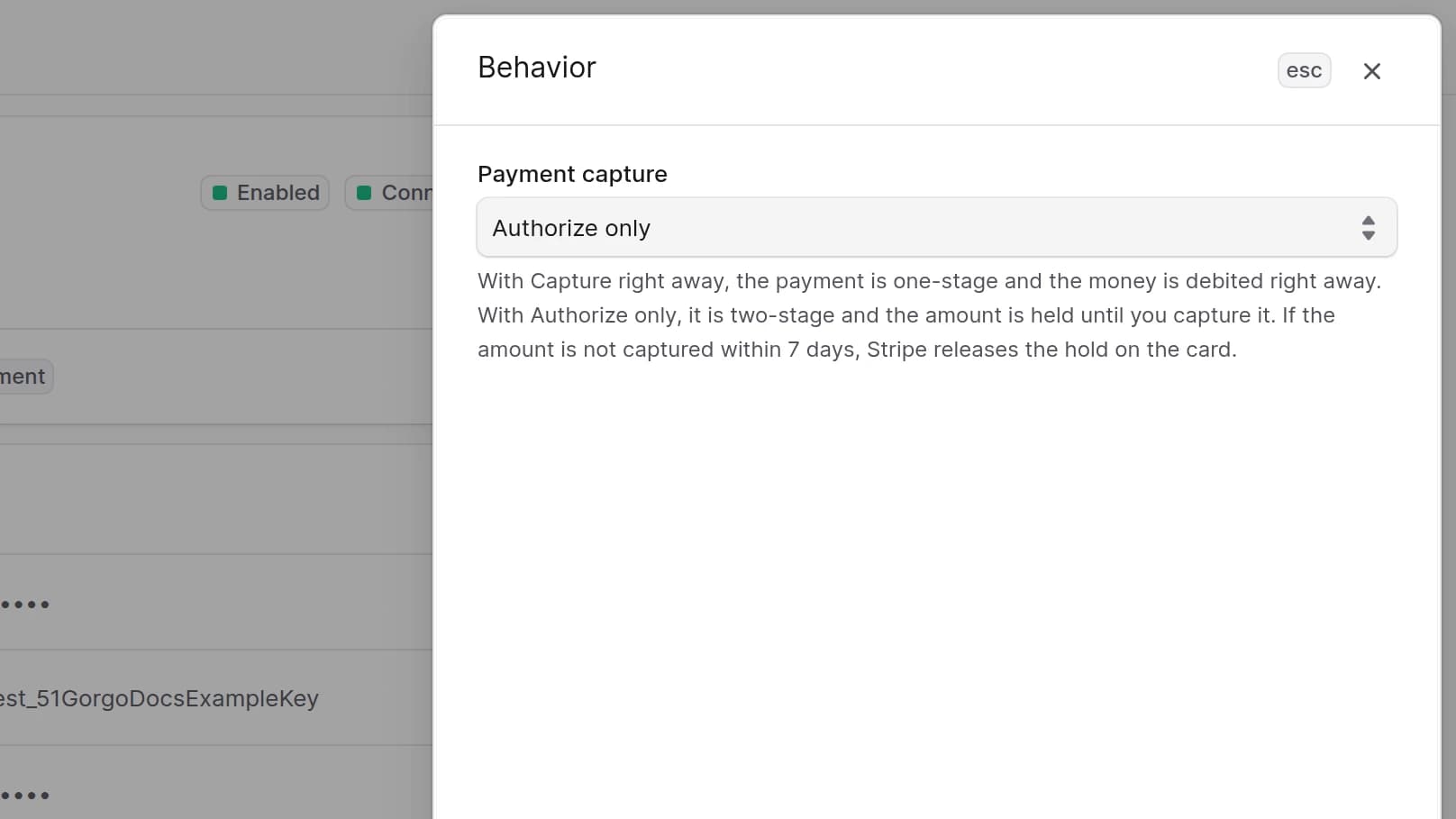
The Behavior section determines the payments processing type.
If Capture right away is selected, one-step payment is used. If Authorize only is selected, two-step payment is used, and you capture the held amount from the order in Medusa Admin. If the amount is not captured within 7 days, Stripe releases the hold on the card.
To edit the payment behavior:
- Go to Settings → Integrations → Stripe.
- In the Behavior section, click the action menu in the section's header.
- Choose Edit.
- In the side panel that opens, update the payment capture.
- Click Save.
Edit Payment Details
The Payment details section determines how the payments look in Stripe and on the customer's side.
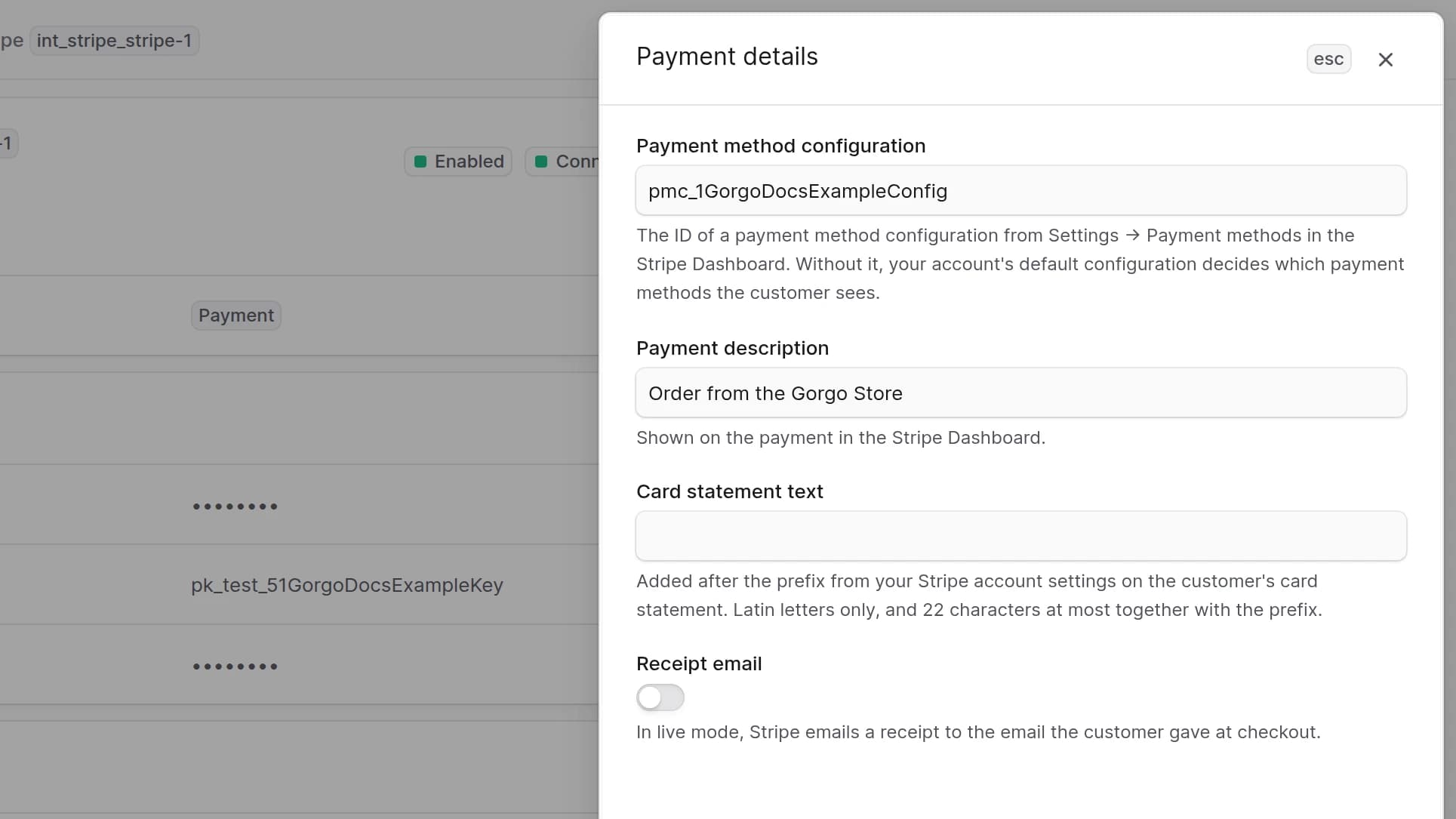
- Payment method configuration is the ID of a configuration from Payment methods in the Stripe Dashboard, starting with . Without it, the default configuration of your account decides which payment methods the customer sees.
- Payment description is shown on the payment in the Stripe Dashboard.
- Card statement text is added after the prefix from your Stripe account settings on the customer's card statement. Stripe takes Latin characters only, with at least one letter and without , , , , or , and the prefix and the text together show 22 characters at most.
- Receipt email makes Stripe email a receipt in live mode to the address the customer gave at checkout.
To edit the payment details:
- Go to Settings → Integrations → Stripe.
- In the Payment details section, click the action menu in the section's header.
- Choose Edit.
- In the side panel that opens, update the payment method configuration, the payment description, the card statement text and the receipt email switch.
- Click Save.
Add Payment Provider
To add a payment provider displayed in the Storefront for Stripe:
- Go to Settings → Regions.
- Choose your region.
- In the first section, click the action menu in the section's header.
- Choose Edit.
- In the modal that opens, add Stripe (STRIPE) to Payment Providers.
- Click Save.
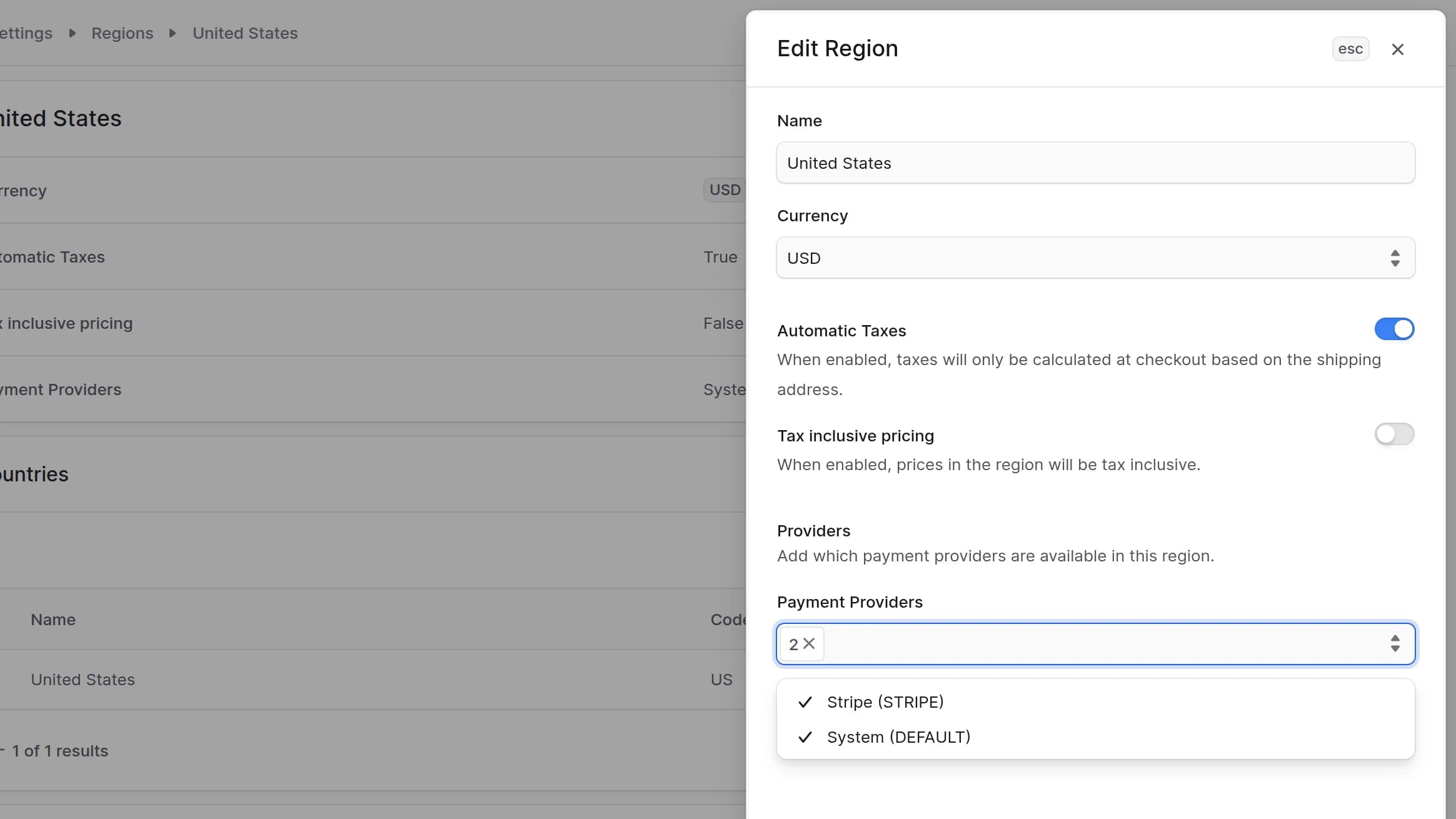
Add Stripe only to regions that use one of the currencies Stripe accepts. In the three-decimal currencies, BHD, JOD, KWD, OMR and TND, Stripe takes amounts that end in 0, so the plugin rounds the total to a hundredth, and a 5.124 KWD order is charged 5.120 KWD.
Refunds and Disputes in the Stripe Dashboard
Make refunds from the order in Medusa Admin. A refund made in the Stripe Dashboard, and a dispute the customer opens with their bank, do not reach Medusa, and the order keeps its amounts. If you also subscribe the webhook endpoint to , and , the plugin writes these refunds and disputes to the log, so you can find them there. It also logs a warning when Stripe fails a refund made from Medusa Admin, since the order already counts that money as returned. Refund the customer again in the Stripe Dashboard then.